
Anytime you are charged for your monthly Cloud plan, you will receive an email confirmation to the email address linked to your Night Owl Protect account. However, you may also access your billing history from the Night Owl Protect Cloud portal. To do so, follow these simple steps:
STEP 1: Log in to your Night Owl Protect Cloud account by visiting https://protectcloud.nightowlsp.com/
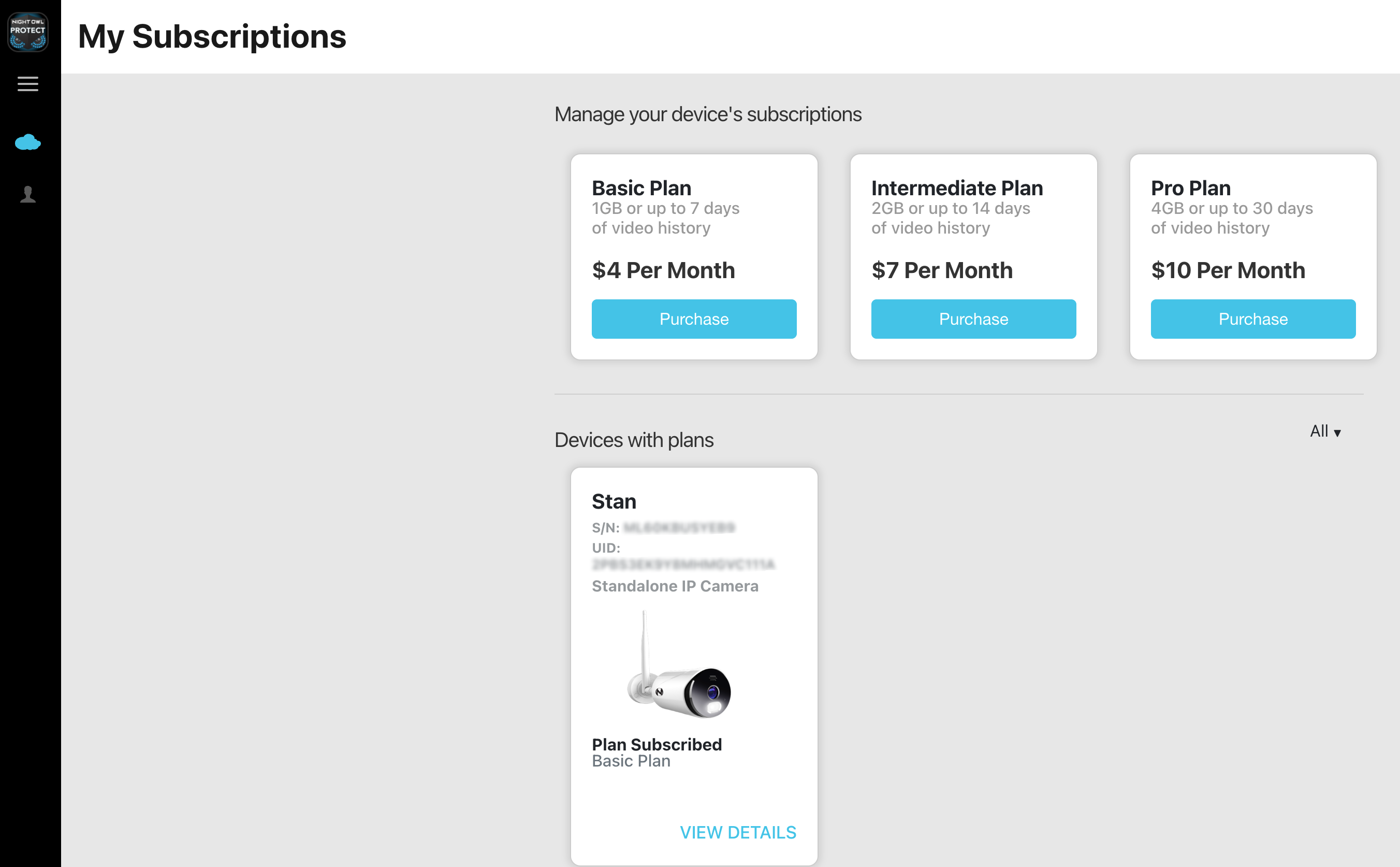
STEP 2: From the My Subscriptions page, go to Devices with plans and click VIEW DETAILS for the device you wish to access billing history for.
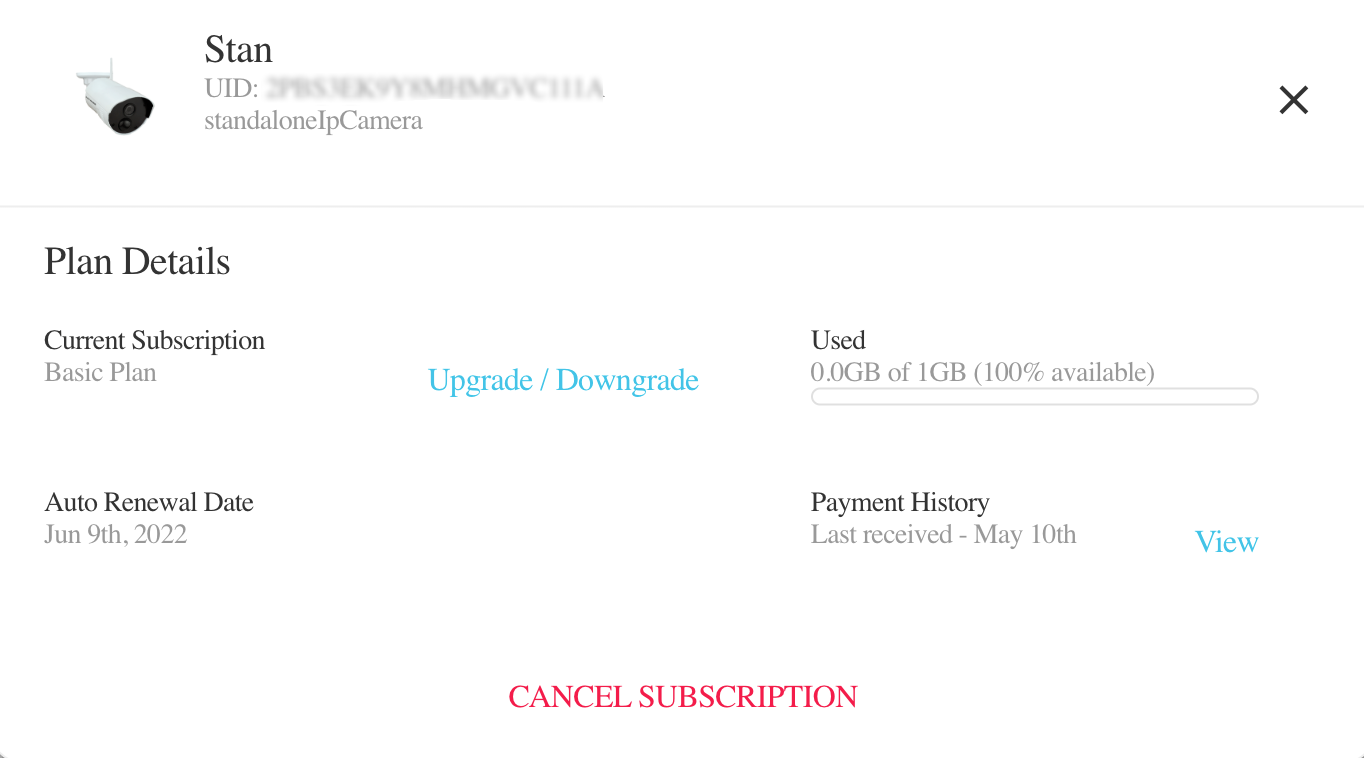
STEP 3: Tap View next to Payment History.
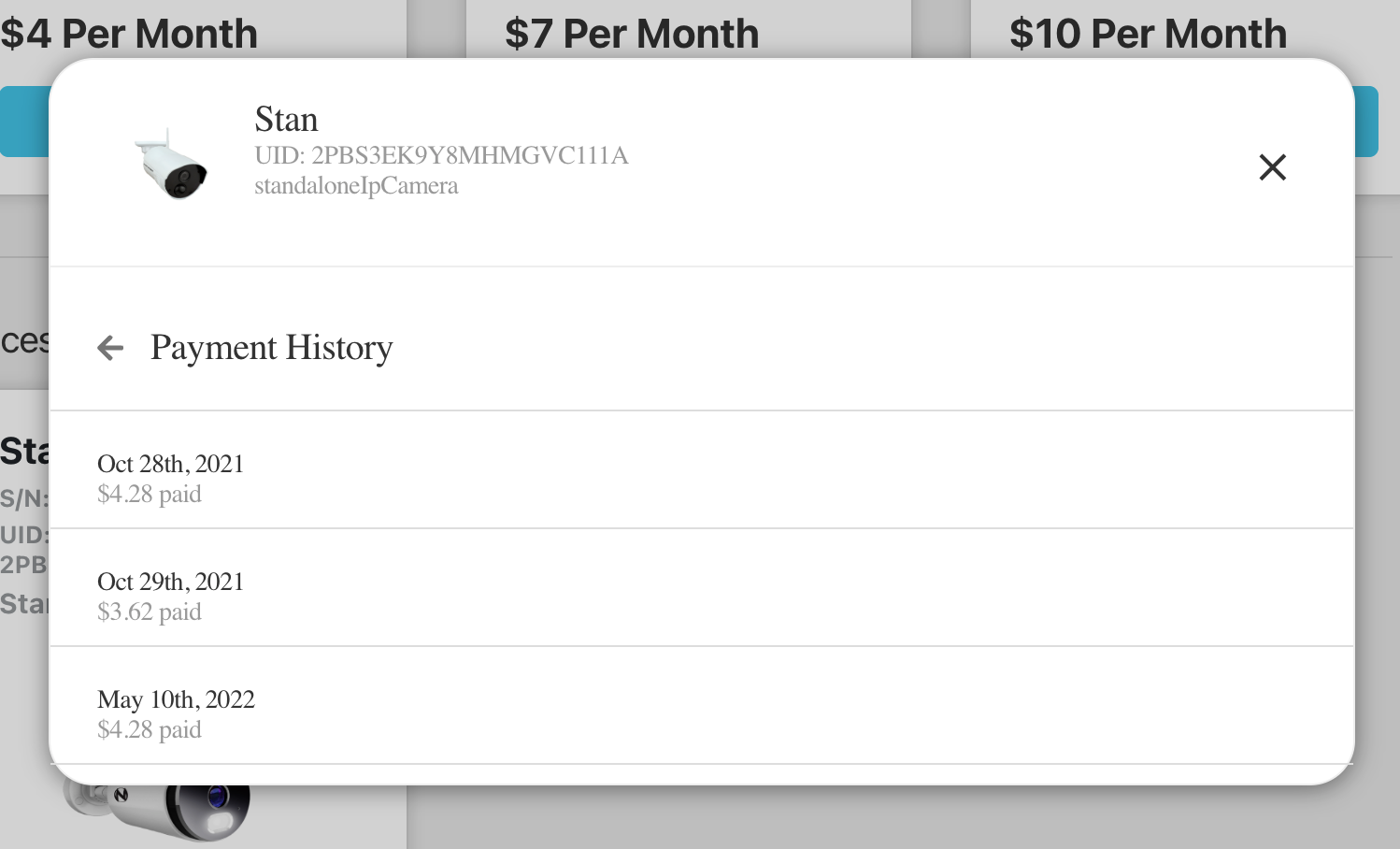
STEP 4: Your payment history for that device will be shown.
Thank you for choosing Night Owl!