
|
|
|
| Night Owl Connect App |

If you trying to log in to your recorder (DVR, NVR or Wi-Fi NVR) and have forgotten the password, please use our password reset portal. Our portal is compatible with most recorders and provides a secure means of resetting your recorder’s password.
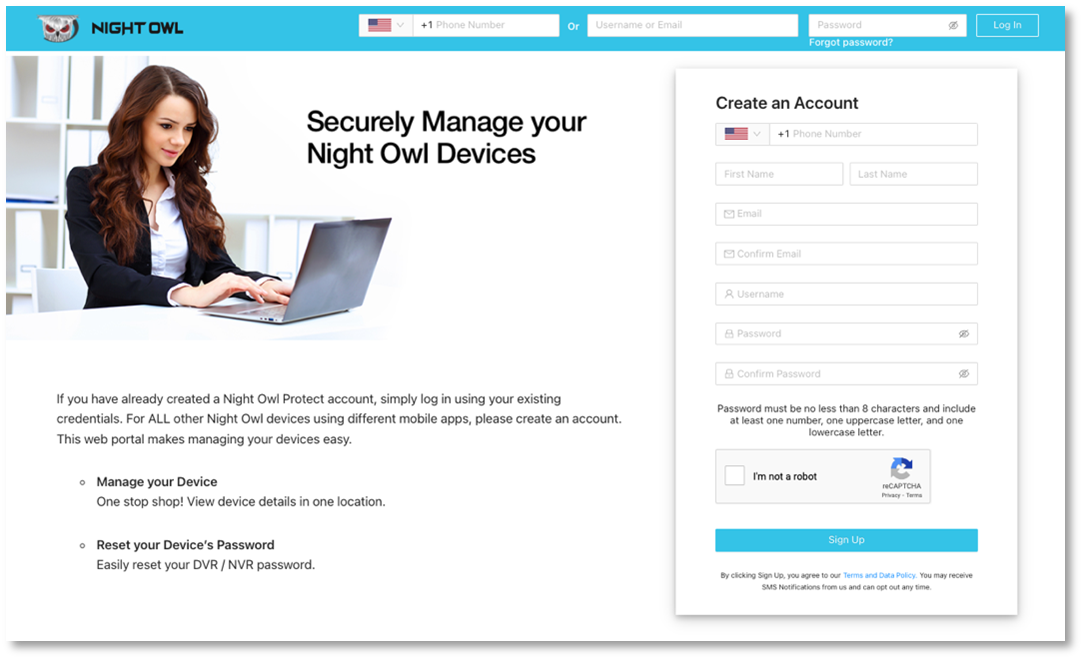
Password Reset Portal Instructions
- Go to www.no-protect.com
- Create an account or log in
- Register your device if you have not already done so
- Click on “View Details”
- On the Device Details page, click on “Reset Code”
- Follow the provided instructions to reset your password
Legacy Recorders
There are a few recorders that are not compatible with our password reset portal. If you have one of these legacy recorders, please find your recorder series listed below and use the Master Reset Code.
Series | Master Reset Code |
Apollo, BL, L, P, Poseidon, TL, WMC, Zeus | 2x8axc |
BUL, LTE, STA | 519070 |
NODVR | 101101 |